RDM device management

MADRIX RADAR

MADRIX RADAR is software that remotely addresses, configures and monitors RDM-enabled luminaires 24/7; it notifies you by email when a value goes out of range.

  • RDM
  • ArtRdm
  • 24/7 monitoring
  • Auto addressing
  • Windows 11
Authorized dealer and solution partner
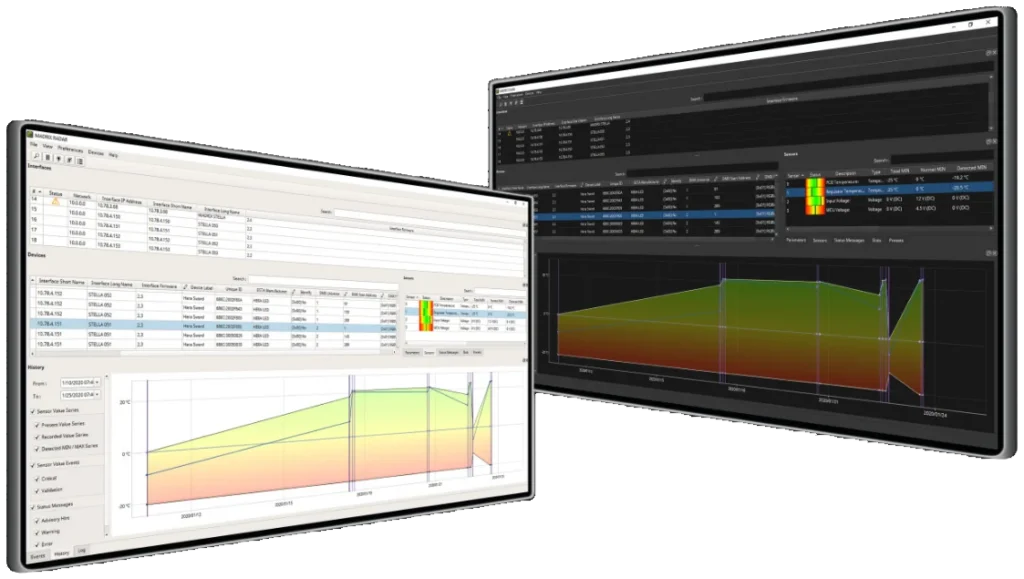
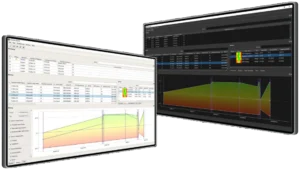
RDM device list and sensor history graph in the MADRIX RADAR software
days of continuous monitoring
365
RDM devices, max.
4.096
database options
3
Interface languages, including Turkish
13

Highlights

Why RADAR?

  • Finds devices

    Scans all luminaires connected to RDM nodes on the network; in highlight mode the selected luminaire lights up full white.

  • Remote addressing

    The DMX start address, operating mode and other settings are changed from the computer; no need to reach the luminaire.

  • Auto patch

    Luminaires in a universe or across the whole address range are addressed automatically; the order is arranged by drag and drop.

  • 24/7 monitoring

    Temperature, voltage, operating hours and status messages are checked automatically every day of the year.

  • Automatic alerts

    For an out-of-range value it notifies you in the software, sends an email or runs a PowerShell script.

  • Data history

    With the big data license, sensor data is stored and changes over time are tracked in graphs.

  • Full RDM support

    All parameters in ANSI E1.20 and ANSI E1.37-1, including manufacturer-specific ones, over Art-Net (ArtRdm).

  • Free with STELLA

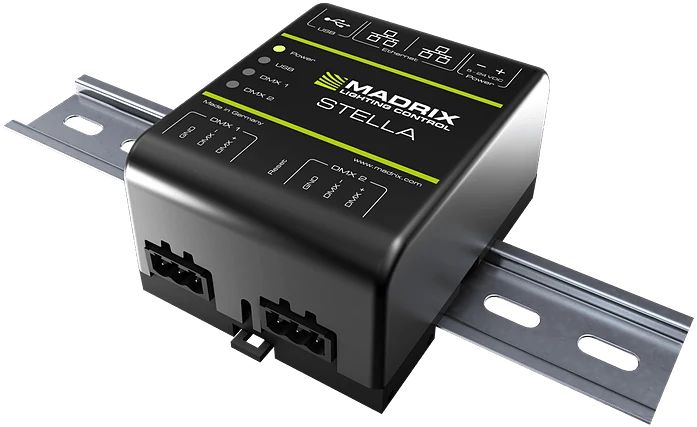
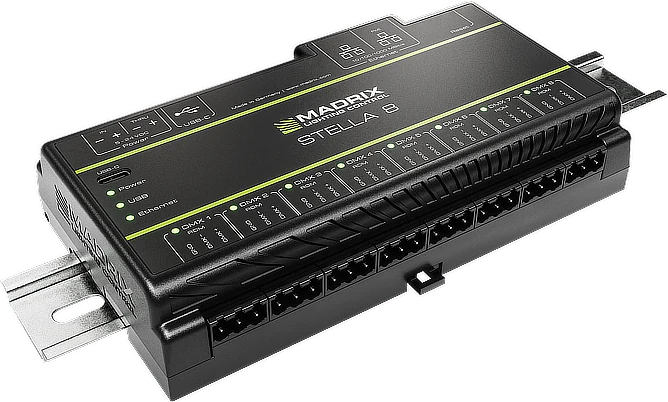
    All RDM devices connected to MADRIX STELLA and STELLA 8 are unlocked without an additional license.

Comparison

Which one suits you?

The 2 products in the Software family side by side with the same criteria; the RADAR column is highlighted. If you're undecided, tell us about your project and let's choose the right device together.

Criterion MADRIX 5LED control software RADARRDM device managementThis page
Role Generates effects, controls luminaires pixel by pixel Configures luminaires remotely via RDM and monitors them 24/7
Data used DMX512, Art-Net, sACN, KiNET, DVI RDM (ANSI E1.20, E1.37-1), Art-Net ArtRdm
Operating system Windows 11, 64-bit Windows 11, 64-bit
License On the MADRIX KEY; six levels from start to maximum Fusion licenses by device count; on the MADRIX KEY
Free use Trial version All RDM devices connected to STELLA and STELLA 8
Compatible hardware NEBULA, STELLA, LUNA, AURA, ORION, USB ONE STELLA, STELLA 8 and other brands' RDM nodes

Technical specifications

All values at a glance.

Software

Operating system
Microsoft Windows 11, 64-bit only
Interface languages
13 languages, including Turkish
License
Paid licenses are stored on the metal MADRIX KEY; the license for MADRIX nodes is digital and comes automatically
Trial version
Downloaded from madrix.com

Standards

Network
Art-Net (I, II, 3, 4; including ArtRdm)
RDM
ANSI E1.20, ANSI E1.37-1, BSR E1.37-4 (file transfer), ANSI E1.37-5
RDM role
Controller: sends commands and queries to RDM devices via ArtRdm

Data

Database
In-memory SQLite, SQLite file or PostgreSQL server (local or remote)

Licenses

Free
Trial (2 devices); all devices connected to MADRIX STELLA and STELLA 8; fragment (parameters on all devices)
Paid
core (all functions except monitoring); fusion small, medium, large: all functions including monitoring for 64, 512, 4,096 devices
big data
Data history; free for owners of a MADRIX RDM node or a fusion license

FAQ

Frequently asked questions about RADAR.

If you can't find the answer to your question, write to our technical team; let's evaluate it together for your project.

What is RDM?

Remote Device Management is two-way communication with the luminaire over the DMX512 line. Commands are sent to the luminaire (address, operating mode) and information is read from it (temperature, voltage, operating hours, error messages).

Is MADRIX RADAR free?

It is free for all RDM devices connected to MADRIX STELLA and STELLA 8. On other brands' nodes, the free fragment license unlocks the parameters; paid fusion licenses, depending on the number of devices, are required for monitoring and event reports.

Which luminaires does it work with?

With any luminaire that supports RDM (ANSI E1.20), including manufacturer-specific parameters. You can check your luminaire's RDM support in its datasheet or ask us.

Do luminaires need to be addressed before mounting?

No. RADAR finds and addresses all luminaires from the computer after mounting; the DMX start address can also be changed after installation.

How do alerts arrive?

When a value goes out of range, RADAR shows a notification in the software, sends an email or runs a PowerShell script you define.

MADRIX® is a registered trademark of inoage GmbH. Motto Aydınlatma is an authorized MADRIX dealer and solution partner.

Message us on WhatsApp